
Audiostation
Contribute
Alex van den Berg
Created: Apr 06, 2026 - Updated: Apr 06, 2026
Contribute fixes
This is a guide to contributing to the Audiostation open source project on GitHub.
Step 1: Clone from GitHub
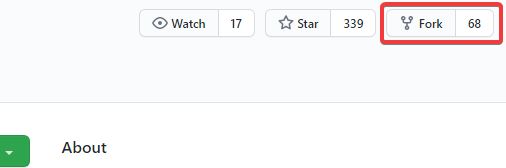
Firstly you need a local fork of the project, so go ahead and press the “fork” button in GitHub. This will create a copy of the repository in your own GitHub account, and you’ll see a note that it’s been forked underneath the project name:
Now you need a copy locally, so find the “SSH clone URL” in the right hand column and use that to clone locally using a terminal:
$ git clone git@github.com: Sibra-Soft/Audiostation.gitFinally, in this stage, you need to set up a new remote that points to the original project so that you can grab any changes and bring them into your local copy. Firstly clock on the link to the original repository – it’s labeled “Forked from” at the top of the GitHub page. This takes you back to the projects main GitHub page, so you can find the “SSH clone URL” and use it to create the new remote, which we’ll call upstream.
$ git remote add upstream git@github.com: Sibra-Soft/Audiostation.git- develop which points to your GitHub fork of the project. You can read and write to this remote.
- master which points to the main project’s GitHub repository. You can only read from this remote.
Step 2: Set up the project
Now that you have the source code, get it working on your computer.
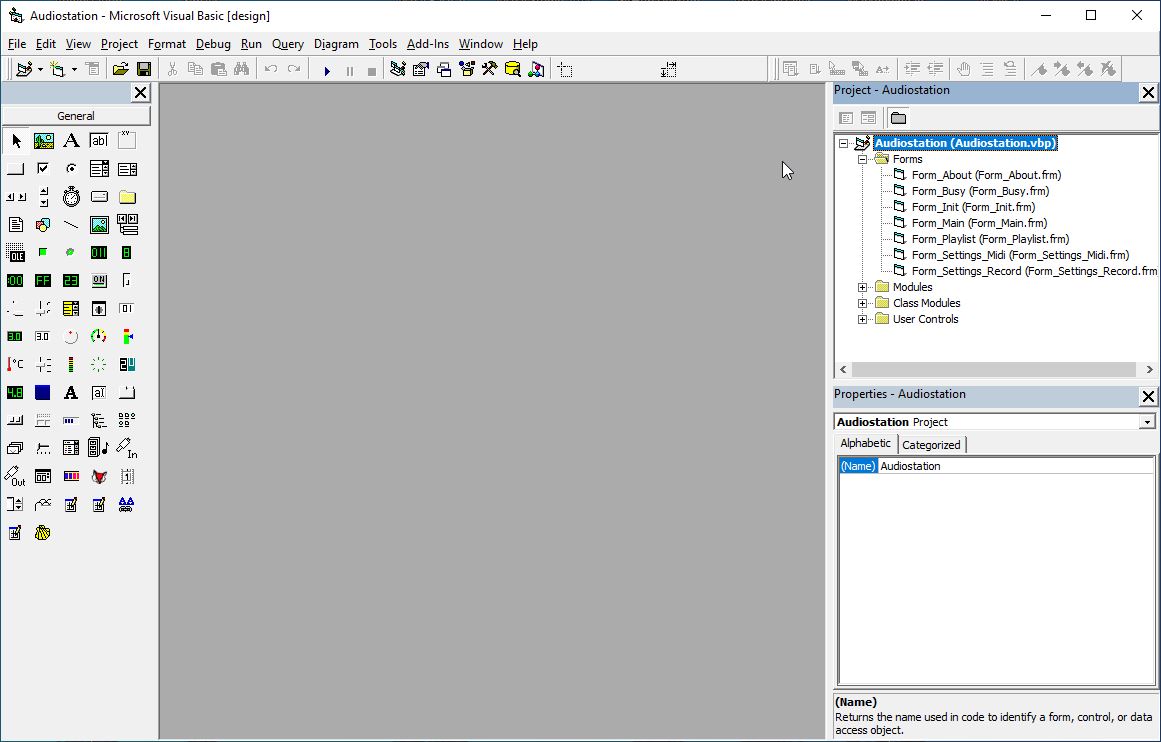
You must have a running version of Microsoft Visual Basic 6 to make changes to the project. Please use our dependency installer to install all the needed dependencies
Below you will find an example of a running and working Visual Basic 6 with the project
I use CodeSmart to make programming in VB6 even easier.
Step 3: Do some work
This is the fun bit where you get to contribute to the project. It’s usually best to start by fixing a bug that is either annoying you or you’ve found on the project’s issue tracker. If you’re looking for a place to start, a lot of projects use the “easy pick” label (or some variation) to indicate that this issue can be addressed by someone new to the project.
Now that you have picks an issue, reproduce it on your version. Once you have reproduced it, read the code to work out where the problem is. Once you’ve found the code problem, you can move on to fixing it.